CS2 Crosshair Generator
DUST2
MIRAGE
INFERNO
Why Use the Crosshair Generator
- Set crosshair size, color, style, and other parameters without launching the game.
- Supports importing crosshair codes shared by other players.
- Supports parsing configuration parameters from shared codes.
- Supports reading crosshair codes for all players in a game directly from DEMO files, quickly and efficiently - no upload required, fully offline analysis.
- Includes crosshair codes shared by professional players.
How to Copy and Use Codes in Game
- Copy the code from the Crosshair Generator (click the Copy button).
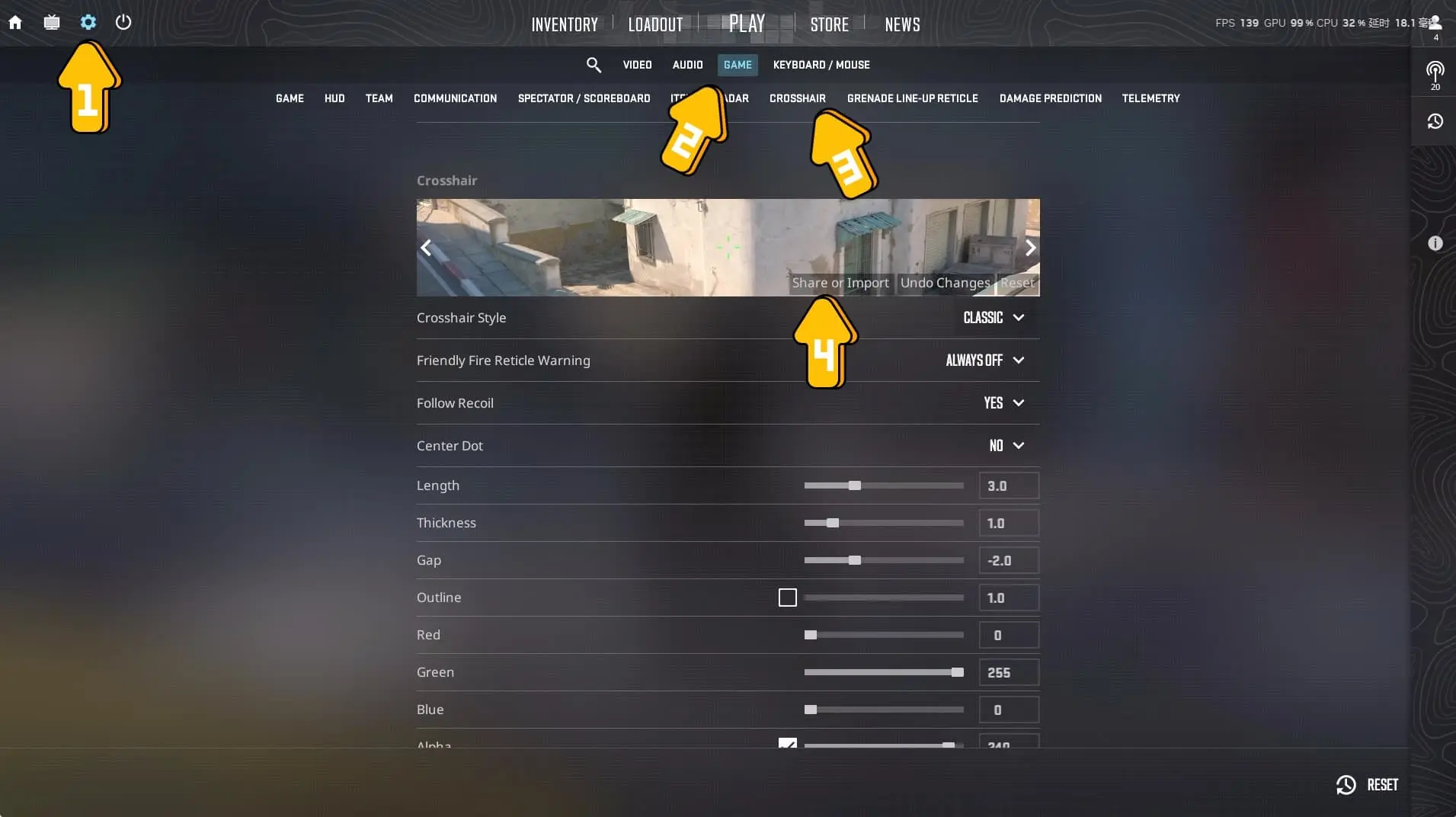
- Launch the game ➔ Click the Settings icon (top-left corner) ➔ Game ➔ Crosshair ➔ Share or Import
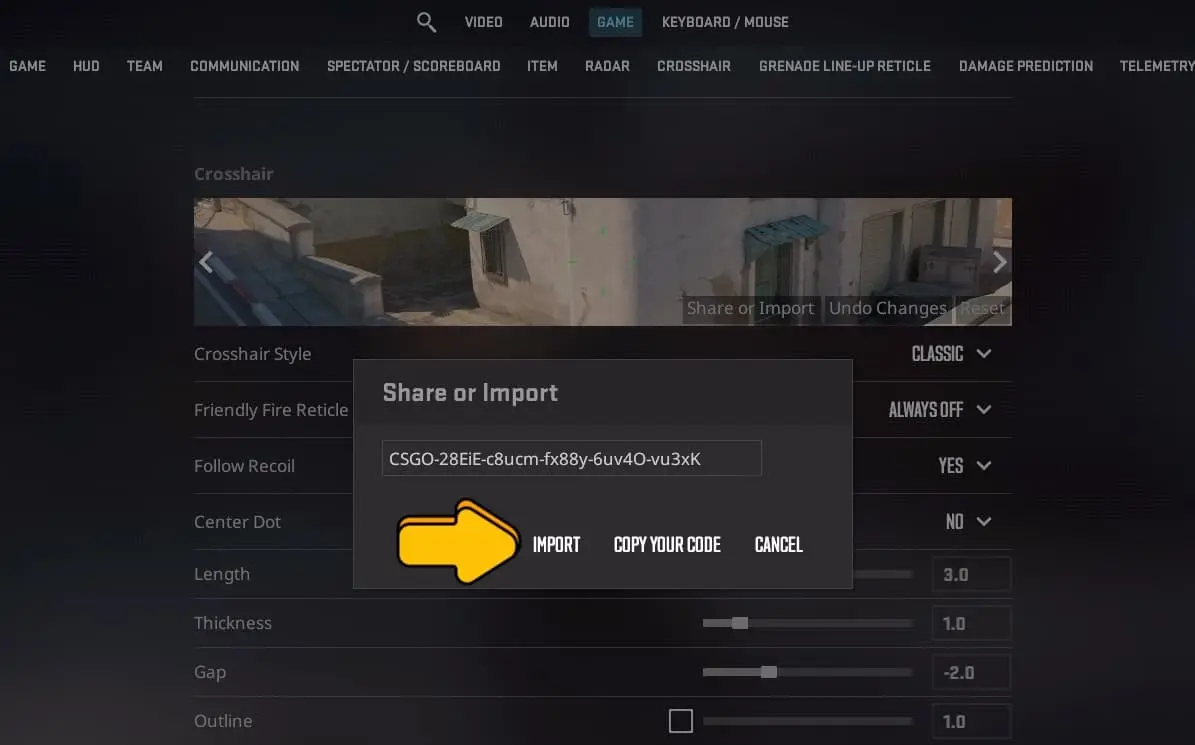
- Paste the crosshair code, then click the Import you're done !